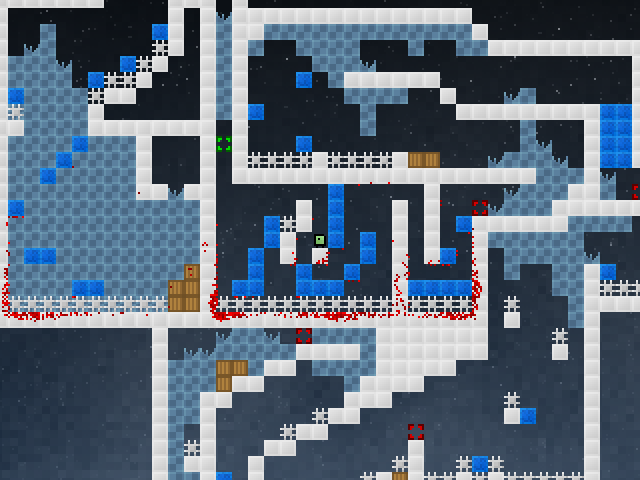
I set out to learn how to compute vertex normals for lighting in OpenGL. I started by doing this in 2D to learn how it actually works and ended up playing around a bit, implementing vertex-based lighting with inverse-square falloff.
The video below shows the result of my experiment. The purple light is following the mouse cursor.
Ludum Dare #26 gamedev compo
I've finished up my entry for the Ludum Dare 48-hour gamedev compo. I call it Minia!
The theme for the compo was "minimalism", which in my game is the simple gameplay. While the game is quite difficult, there are no moving objects, there are only blocks that disappear under your feet, spikes that kill you if you touch them and checkpoints to respawn at when you die. That's it.
The game is web-based using JavaScript and HTML5 canvas. No pre-made game engine or graphics are used, everything was made from scratch in about 14 hours. There's no sound yet though, I might add that later if I have time before the compo ends.
» Play the game (Firefox or Chrome recommended) » Play the game (compo version) (Firefox or Chrome recommended) » Source on github » Check out Ludum Dare and all the other entries
S/PDIF decoding, HXEmu keyboard
My FPGA S/PDIF design can now decode S/PDIF streams into multiple channels, so I decided to implement a little level meter. While it doesn't properly measure the level, it at least looks nice :) Next up is mixing the streams and then outputting a new S/PDIF signal.
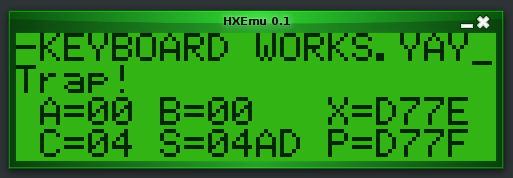
In other news I finally got the keyboard input to work in HXEmu, after rewriting the interrupt handling and fixing the sleep mode. Trying to start BASIC however causes it to write garbage over large parts of the memory space and then trap on an illegal instruction.
Digital audio mixing with an FPGA
I'm currently learning how to (properly) use FPGAs, so I've set out to build a simple digital mixer using a couple of optical S/PDIF receivers and a transmitter with my little Altera DE0-Nano board, featuring a Cyclone IV E FPGA with ~22k LEs.
I'm using a S/PDIF receiver core from OpenCores.org for processing the signals from the receivers and some custom Verilog code for decoding the S/PDIF stream, which at the moment can parse out audio samples in a very basic way. It still needs to check the validity and parity bits in the audio frames though.
Next up is to do sample buffering, mixing together multiple streams and transmitting the mixed stream. It seems I don't have to care too much about the timing of each individual stream as S/PDIF changes the frequency at which it's sending bits to match the sampling frequency, though I've yet to confirm this. The decoder core constantly outputs the latest 24-bit sample and a status flag to show if it's receiving a proper bitstream or not.
The sample outputs from the decoders will then go into a mixer core which will mix the input samples together and output a new 24-bit sample based on the inputs, which will go to a S/PDIF transmitter core transmitting a bitstream based on a selectable output frequency. This way the sampling frequency of the different inputs doesn't matter since we're always working with the latest sample from every decoder.
github, MPDroid, etc
I'm now using github to which I've moved some of my active projects, for example HXEmu and jsSupaplex.
In the process of learning Android development I've started working on an app called MPDroid which allows you to control the Music Player Daemon (MPD) from your Android device. Currently it can control the playback state and fetch state and track information. Upcoming features include connecting to MPD directly (currently uses some extra software), managing the playlist, fetching album art and reducing the amount of network traffic (which also saves battery life).
Glass objects and RGB LEDs
One day I found a big chunk of broken glass (from what I have no idea) and thought it would look good in my window.
It looked pretty good, but then I remembered I had an RGB LED and thought it would be a good idea to put one underneath this chunk of glass. It works pretty well, but a diffused/blurry piece of glass would probably look a lot better.
In the video below I first put the chunk of glass on top of the RGB LED which is cycling through colors, then a glass with water and a plant in it. I've shaped the stand with the LED to match the shape of the glass chunk.